
YOUR METROPOLIS MEMBERSHIP
Move through the world like it already knows you
No line to wait in. No ticket to prove you belong. No card to swipe. No receipt to keep.
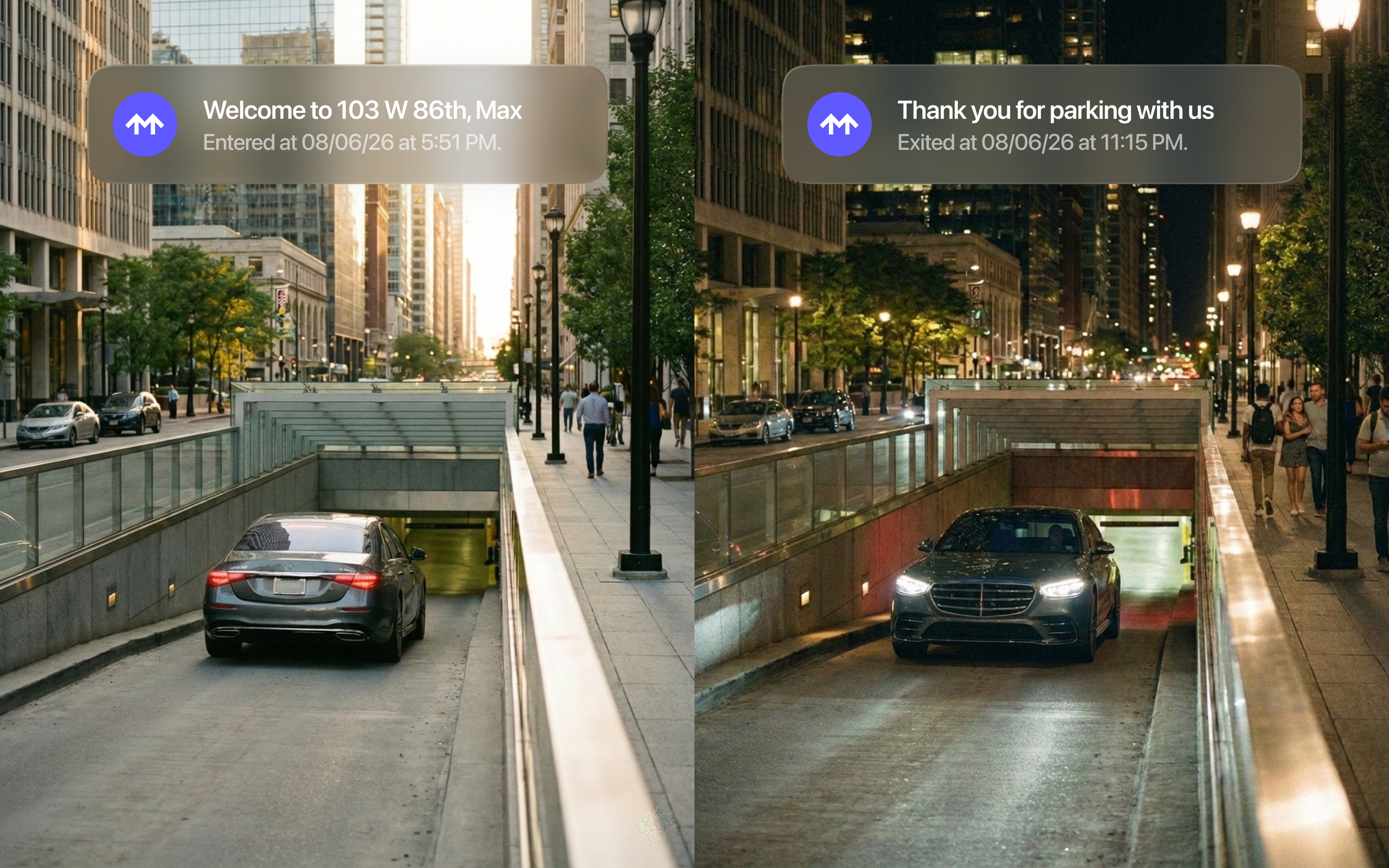
Your presence is your key
Your account takes care of everything else.

Drive in
Pull right in. We recognize your vehicle at entry, so you’re already good to go the moment you arrive.

Park
Find your spot and focus on where you’re headed. Your visit is running in the background, and you can view it in your account.

Drive out
Head out when you’re ready. Payment is automatic when you exit and we’ll text you your receipt.

One membership. Every location.
Once you’re a Member, you’re welcomed at every Metropolis Location across North America. It’s the same, seamless experience, wherever you park.
4,500+
Locations
30M+
Members
Your membership is built around you
The more you show up, the more it shows up for you. Automatic payments, receipts, discounts and partner perks are part of your personalized experience. No points to track. Nothing to manage.

Scan our QR codes at stores near your parking location and the validation applies automatically. No codes to remember, you’re good to go.
Automatic validations
Your membership opens doors beyond parking with benefits from brands like Bilt, STARZ and beyond. Save on the things you enjoy most.
Partner perks
Every visit, every charge, all in one place. Keep your records in order cleanly and easily within your account.
Receipts and visit history
Add every vehicle in your household to one account. Manage them centrally and give your family instant access to every Metropolis Location.
Multiple vehicles
GET STARTED

Start parking with Metropolis
Free to join. Frictionless from your very first park.
Frequently asked questions
-
Head to app.metropolis.io or open the Metropolis iOS app, enter your phone number and text verification code. You’re in.
-
Every time you park, Metropolis automatically charges the payment method on file. You’ll receive a texted receipt after each session that includes the location, duration and amount charged. Charges appear on your statement as METROPOLIS or METROPOLIS PARKING, followed by the city. Most charges post within 24 hours of your session. In some cases, it can take up to 3 business days — this is normal. If you parked and didn’t receive a receipt, check your spam folder first. If it’s not there, contact us and we’ll look into it.
-
At a location? Scan a posted QR code to see live rates for that site.
On the go? Open the app to explore the map and find locations, hourly + daily rates and evening + weekend specials.
-
Joining Metropolis takes less than a minute. Download the iOS app or visit app.metropolis.io, add your phone number, license plate and payment method, and you’re good to go.
-
While your visit is still active — before you drive out — log in on the iOS app or at app.metropolis.io, tap the green “Scan” button on your dashboard and hold your discount QR code up to your camera. Done deal.
-
Log in with the iOS app or at app.metropolis.io, open the menu and select “Payment” to update your payment method.
-
Your account works at every Metropolis Location in the network — no additional setup required. Same vehicle, same payment, same seamless experience everywhere we operate.
-
No. Once your account is set up, you don't need to open the app at all. Our system recognizes your vehicle automatically at entry and exit. The app is there when you want it — to review receipts, update your payment method or manage your account — but it's not required to park.
-
You can add multiple vehicles to your account in the app. Head to the Vehicles section to add a new car before your trip. Rental vehicles can be added the same way and you can set a removal date for when the rental ends.